Apps / Batchio
Batchio
Bulk edit Attio with a preview first and an undo after.
Select records, pick a change, and see exactly what will happen before anything is written. If a run goes wrong, put every value back in one click.
- Works on any object
- Preview before every run
- Undo for up to 90 days
What Batchio does
Attio admins and ops people who clean up, standardise or re-import data in bulk.
Change thousands of records at once
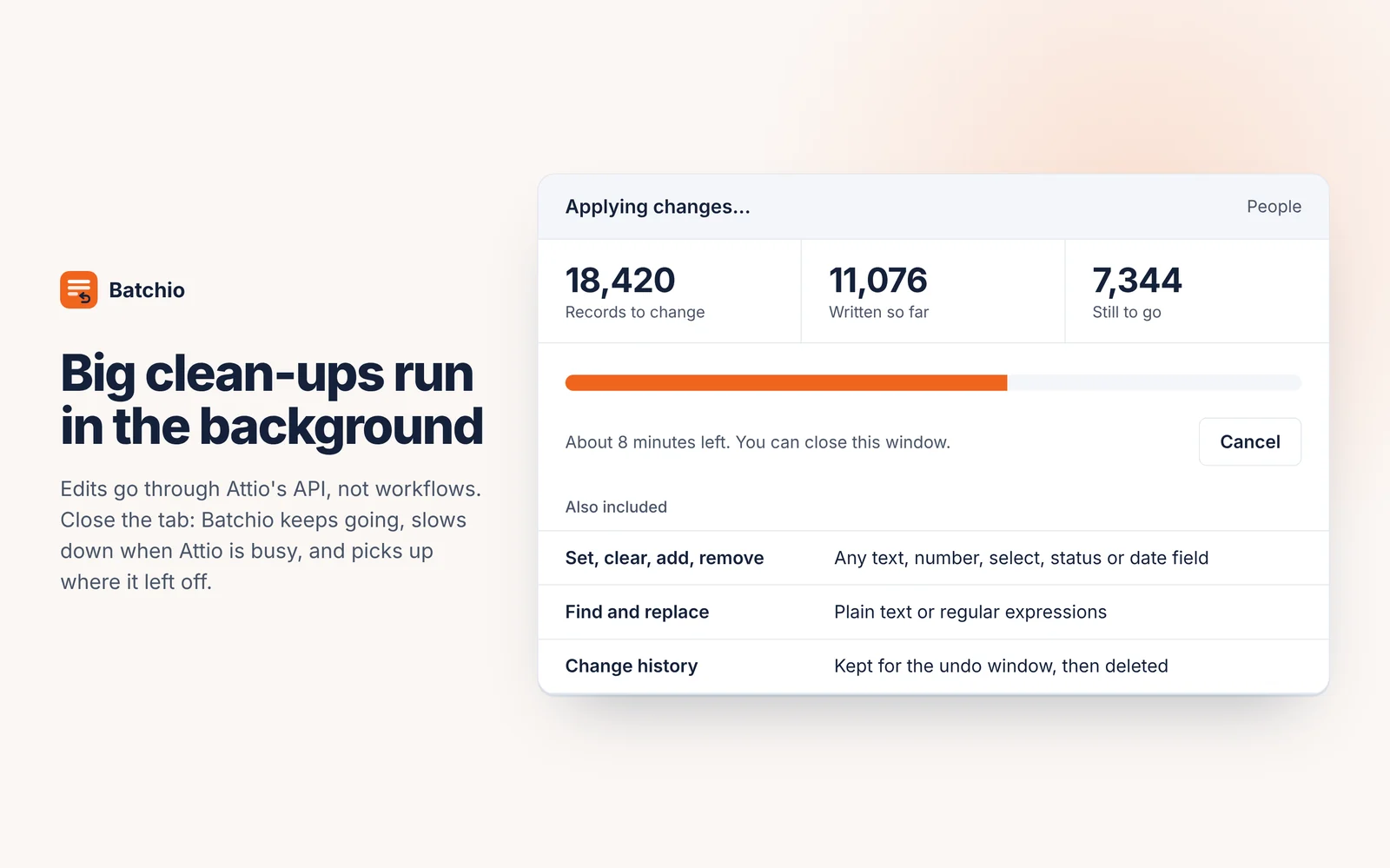
Set, clear, add or remove values, or find and replace across any attribute, on a selection, a filtered view or a whole list.
See it before it's written
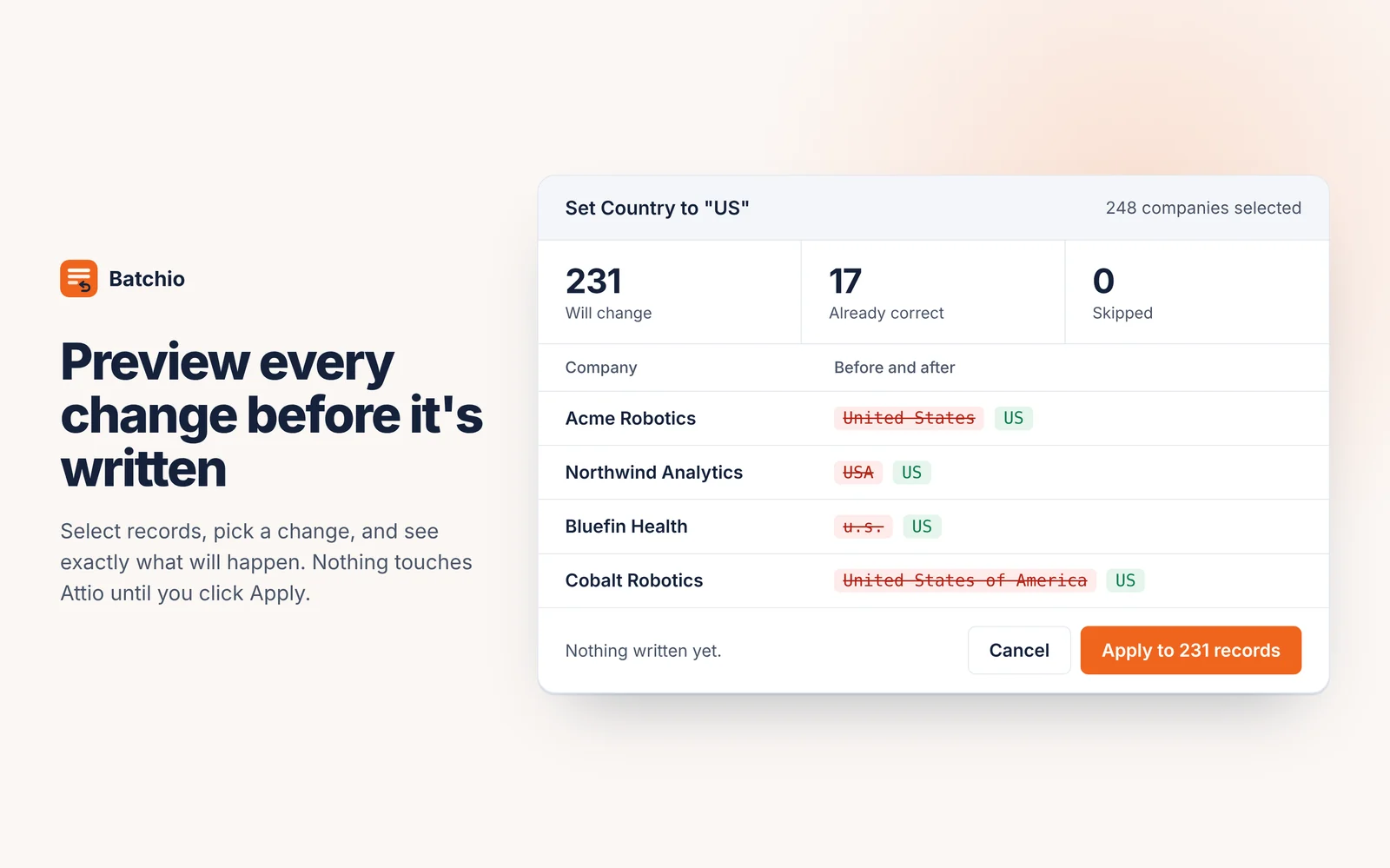
Every run starts as a preview: how many records will change, how many are already right, and the before and after for each one.
Undo that respects later edits
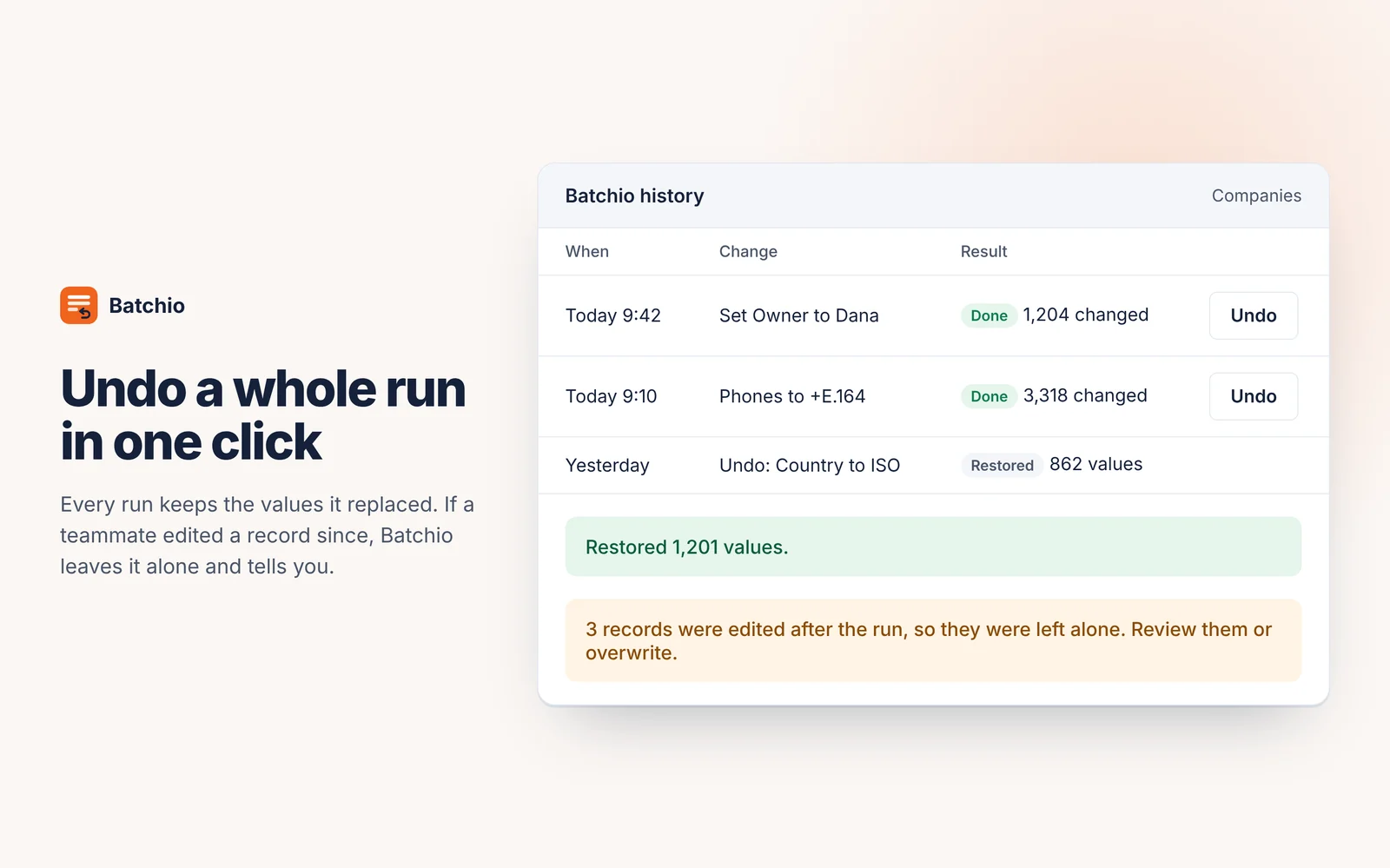
Put a run's values back with one click. Records someone edited since are left alone and listed, so nothing new gets overwritten.
Ready-made cleanup recipes
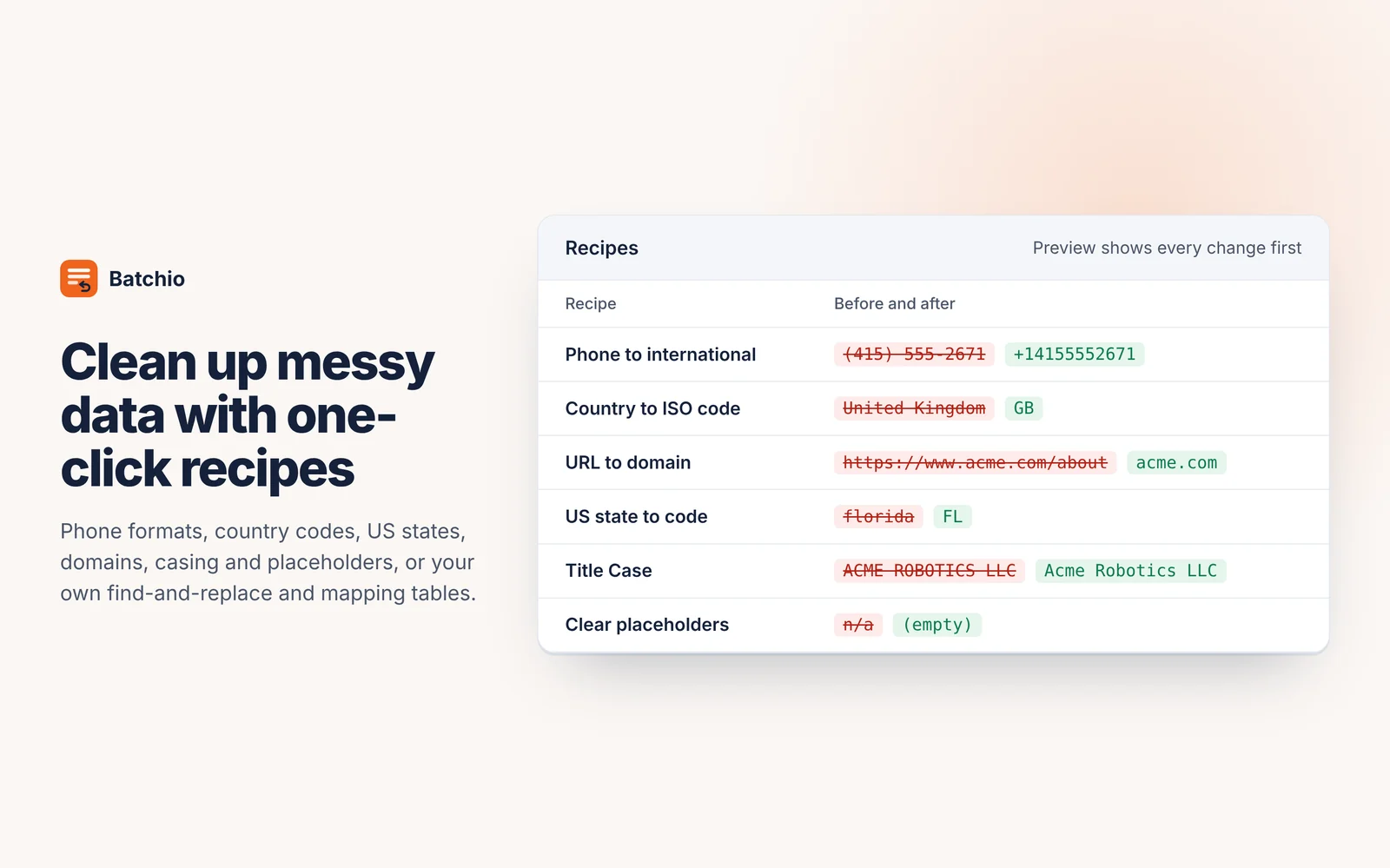
Tidy names, emails, phone numbers, websites and countries with built-in rules, without writing formulas.
Big jobs keep going on their own
Large runs carry on in the background, slow down politely when Attio asks, and pick up where they left off after a hiccup.
Values encrypted per workspace
Before and after values are encrypted with a key unique to your workspace and deleted when the undo window ends.
How it works
Set up in minutes.
Install and connect
Install Batchio in Attio, then connect it from its settings page as a workspace admin.
Select records and choose Bulk edit
Pick records in any table and open Bulk edit from the actions menu.
Preview, then apply
Check the counts and the before and after, then apply. Undo is there if you change your mind.
A closer look
Pricing
Free for everyone during the beta. These are the plans planned for after it, billed by Sporc through Stripe.
Free
$0
- Up to 10,000 records
- 1,000 changed records a month
- 7 days to undo
Pro
$39
a month, or $390 a year
- Up to 50,000 records
- Unlimited changes and users
- 30 days to undo
Scale
$89
a month, or $890 a year
- Up to 250,000 records
- 90 days to undo
- Priority in the queue
Questions
Can I undo a run?
Yes. Each run can be undone for 7 to 90 days, depending on plan. Records edited after the run are left alone and listed, unless you choose to overwrite them.
Does it change anything before I click Apply?
No. A preview only reads records. Nothing is written until you apply it.
What does Batchio store?
The before and after value of each field a run changes, encrypted with your workspace's own key. Previews you don't apply are deleted after 24 hours.
Who can run bulk edits?
Anyone in the workspace can preview. A workspace admin connects the app and accepts how change history is stored.
What Batchio stores
The before and after value of every field a run changes, so it can be undone. Values are encrypted with a key unique to your workspace. Previews you don't apply are deleted after 24 hours; applied runs are deleted when their undo window ends (7 to 90 days, depending on plan).
Batchio in the privacy policy. Ask for a copy or deletion at privacy@sporc.app.
Batchio is in private beta
It will be in the Attio App Store. Early access is open now.
Questions or requests: support@sporc.app, with "Batchio" in the subject.